Upload Your Contract. Know What’s Due. Meet Doreva Contracts.
From a signed agreement to a clearer view of deadlines, responsibilities and the work ahead.
You have won the tender. Now you need to understand what the signed contract means for your team.
When does delivery start? What reports are required? What triggers a milestone payment? When do you need to act on an extension or price review?
Those answers can be spread across the agreement and its schedules.
Doreva Contracts is AI-assisted contract management software for Australian government suppliers. Upload your agreement to extract key dates, obligations, payment milestones and important terms for review. Confirm the details, assign responsibility and manage upcoming work in a shared contract workspace.
The product is live with a 14-day free trial. Start with one active contract and the next few responsibilities your team needs to manage.
How does Doreva Contracts analyse an uploaded contract?
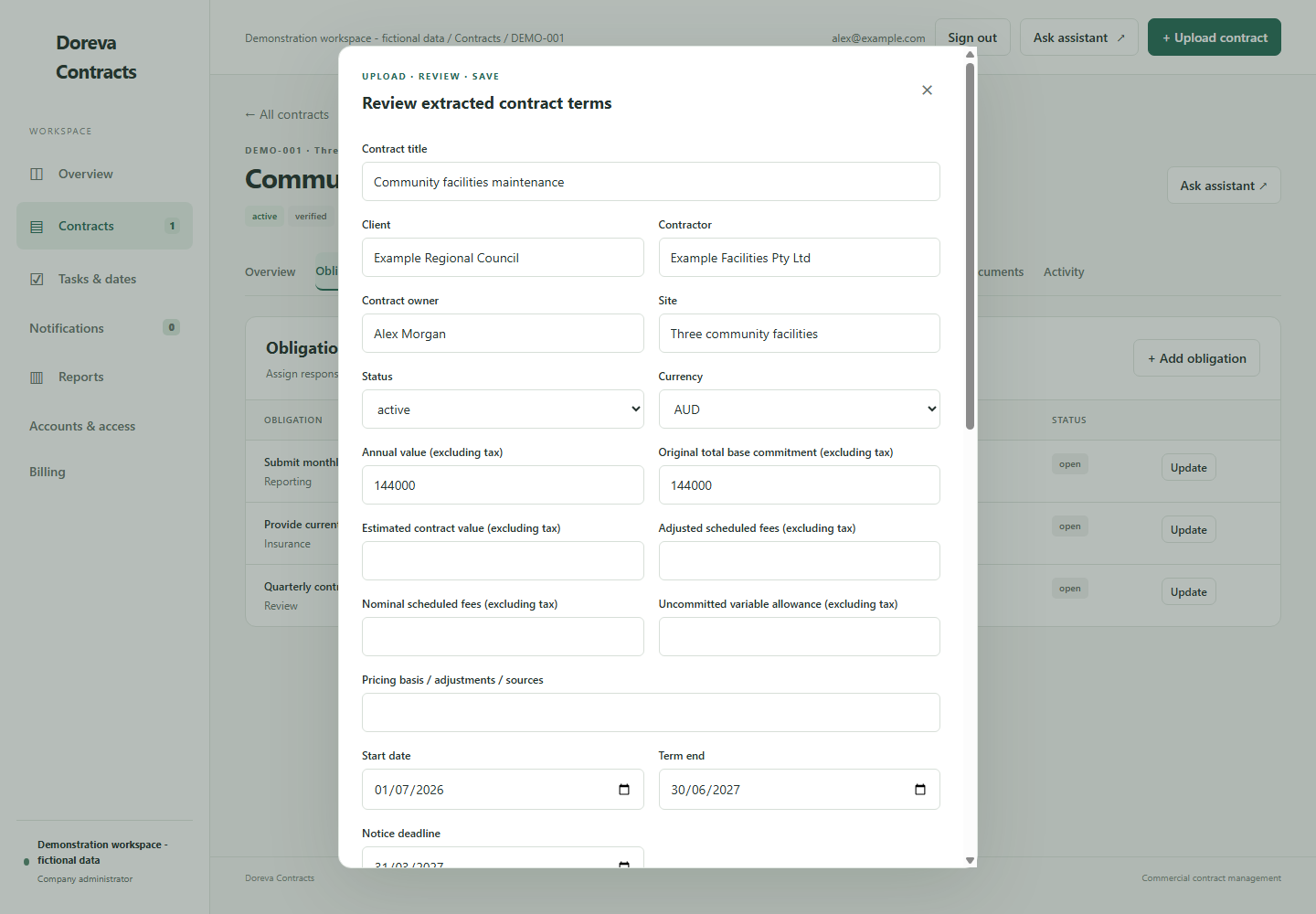
Select Upload contract and choose your agreement. Doreva reads the available text and prepares extracted information for you to review before saving the contract record.
The workflow follows three steps: upload, review and save.
- Upload the agreement. Use a readable PDF, text file or Markdown document, within the 16 MB upload limit.
- Review the extracted terms. Check the identified dates, values, obligations and important provisions against the source text.
- Confirm and save. Correct or complete the information, then organise responsibility for the work.
This gives you a starting point drawn from the document, helping reduce the manual effort of building a contract register from a blank spreadsheet.
For a scanned document, make sure readable text is available before relying on the extraction.
Which deadlines and obligations can it identify?
Doreva can identify the following information where it is clearly stated in the uploaded document:
| Contract information | What it helps you understand |
|---|---|
| Start and end dates | The contract term and delivery period |
| Notice and renewal terms | When a decision or notification may be required |
| Supplier and client obligations | Responsibilities and dependencies on both sides |
| Reporting requirements | What must be reported and how frequently |
| Financial milestones | Dates, amounts, payment conditions and acceptance requirements |
| KPIs and service standards | Performance targets and measurement requirements |
| Payment and price-review terms | Payment arrangements, scheduled changes and relevant conditions |
Requirements are not always expressed as calendar dates. Some depend on an event, a decision or information supplied elsewhere. Missing or unclear details need review rather than being treated as confirmed facts.
How do you check the extracted information?
The review stage gives your team an opportunity to check the draft record against the agreement. Supporting source quotations and extracted contract text help you trace the information back to the document.
Confirm the parties, dates, pricing basis and obligations. Resolve warnings, add missing context and correct anything that needs adjustment.
If the review is incomplete, the contract can remain marked Needs review. Your team decides when the information is ready to use.
That matters because an unknown notice deadline is different from a confirmed date, and an estimated contract value is different from a fixed commitment.
Worked example: from a reporting clause to an assigned action
Imagine a fictional facilities agreement contains this requirement:
The contractor must submit a monthly service report by the fifth day of the following month.
Here is how your team can turn it into manageable work:
| Step | What happens |
|---|---|
| Identify | The reporting obligation and monthly frequency are identified for review. |
| Confirm | The contract manager checks the source wording and confirms how the deadline applies. |
| Assign | The team assigns Alex as owner and records 5 November as the due date for the October report. |
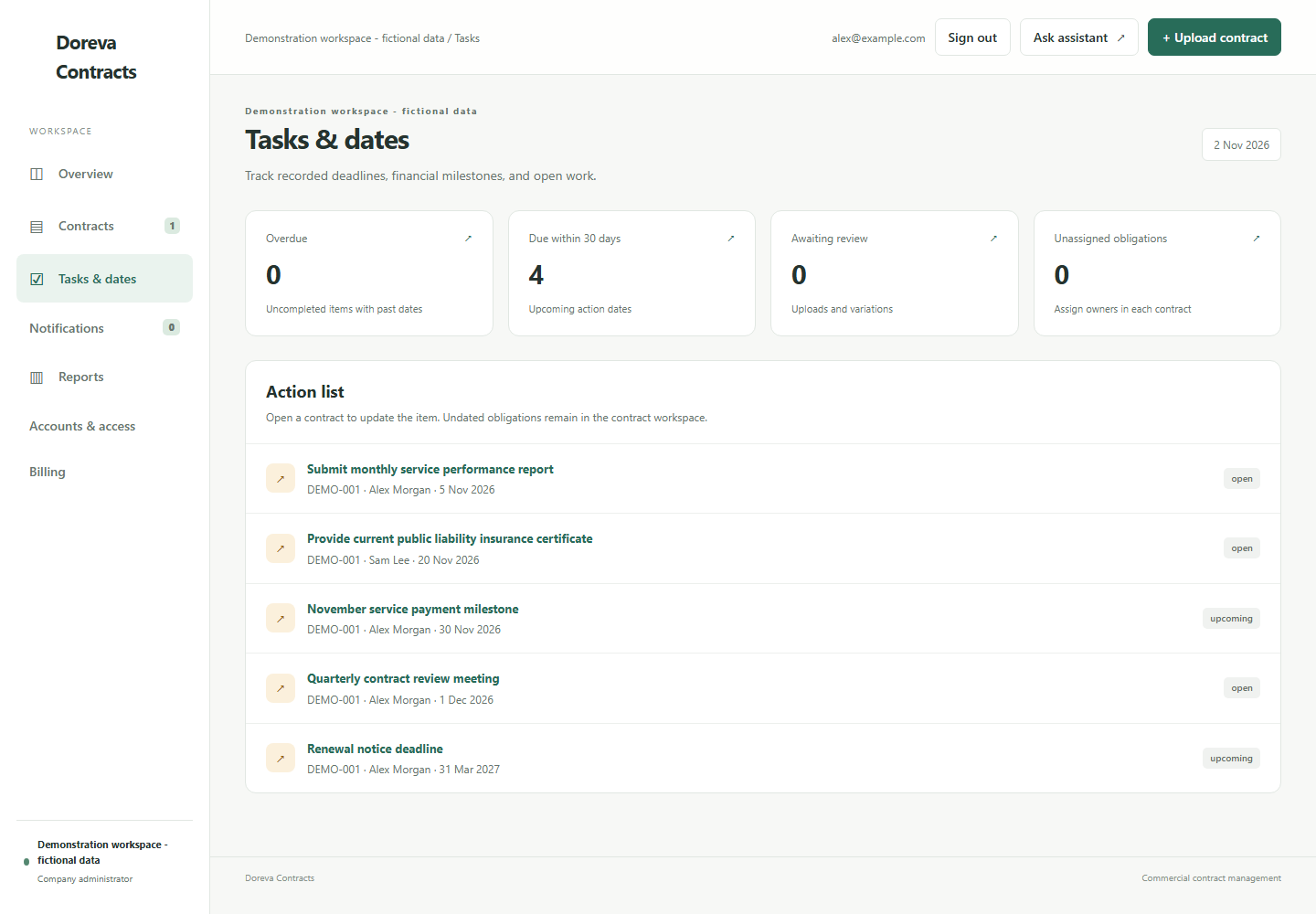
| Track | The dated obligation appears in Tasks & dates, where the team can see its owner and status. |
| Record completion | The team updates the obligation and records the relevant completion evidence. |
This is an illustrative workflow. Owners and operational due dates need to be confirmed by your team; the example does not imply that every recurring deadline is automatically scheduled.
How does your team track upcoming work?
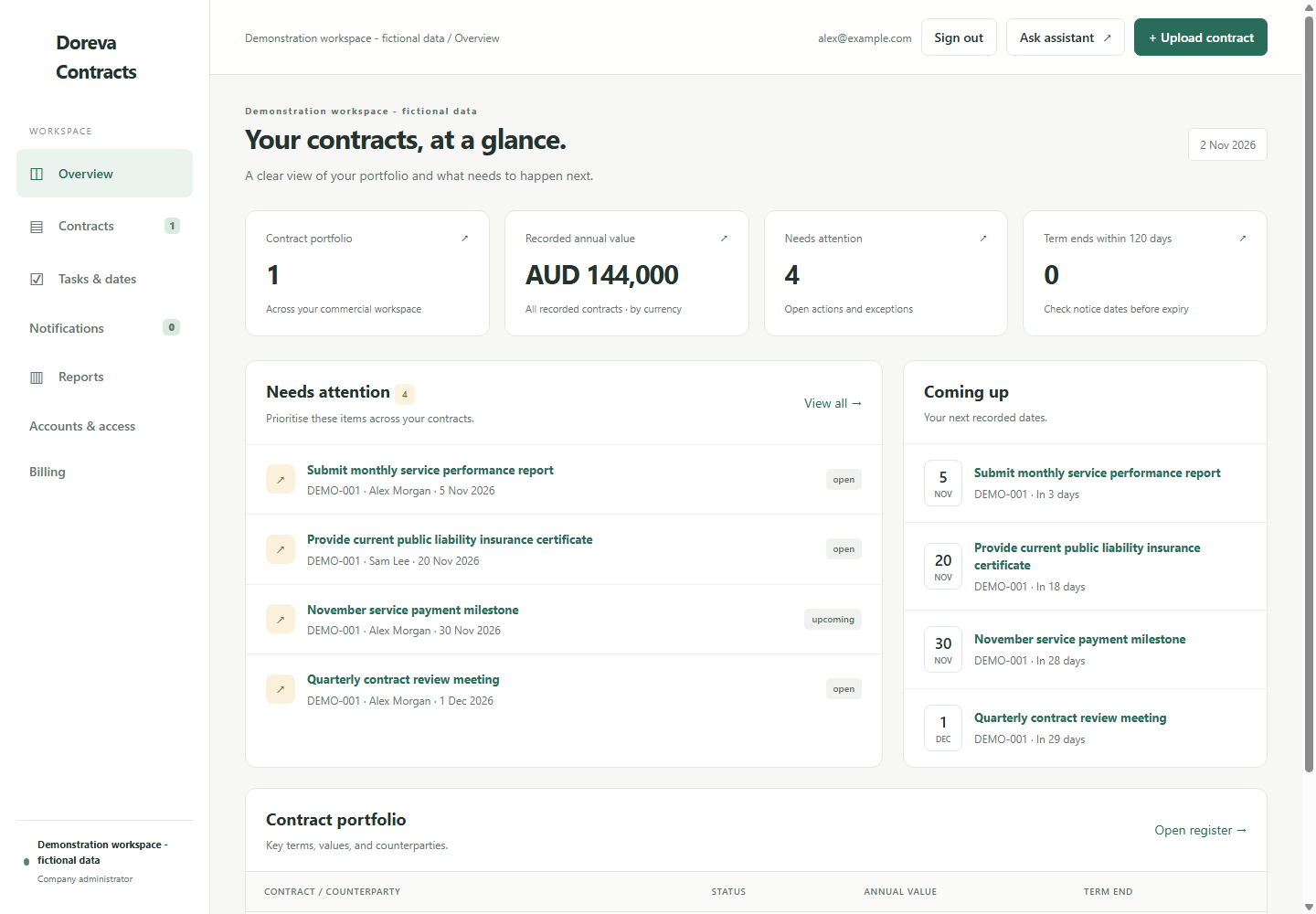
The Tasks & dates view brings together recorded deadlines, open obligations, financial milestones and notice dates. The overview highlights items needing attention and upcoming work across the portfolio.
Use it during your weekly review to answer: what is due next, who owns it, and what needs a decision?
For operations, that means clearer delivery responsibilities. For finance, it means visibility of recorded milestones. For the contract manager, it means a shared starting point for checking progress.
For help deciding what to record, read our guide to tracking contract obligations.
Can you ask questions about your contract?
Yes. The contract assistant lets you ask questions about a selected agreement using everyday language.
- What are our reporting obligations?
- What does the contract say about payment?
- What conditions apply to this milestone?
- What are the renewal and notice requirements?
- How does the price-review clause work?
Answers include links to source contract text so you can check the underlying wording. This helps during handovers, contract reviews and conversations with colleagues who need to locate a particular requirement.
How much does Doreva Contracts cost?
Doreva Contracts is priced per organisation, with 50 active contracts and unlimited collaborators.
- Monthly: A$149 per month, excluding GST.
- Annual: A$1,490 per year, excluding GST, paid upfront.
Annual billing saves A$298 compared with 12 monthly payments. Larger portfolios and hands-on migration are available by custom quote.
You can involve the relevant colleagues without adding a licence charge for every collaborator. Permissions determine access. Doreva Contracts has its own subscription; you do not need a Doreva Tenders plan to use it.
See Doreva Contracts features and current pricing.
How do you start the 14-day trial?
Register your company, select monthly or annual billing, and add a card. You are not charged until day 15 and can cancel before the trial ends.
Start with one active agreement. Upload it, check the extracted information, assign responsibility for the next actions and use the workspace for your next contract review.
If you have just won the work, our first-30-days contract management checklist can help you decide where to begin.
Give your next contract a clearer starting point.
Bring the agreement, its key dates and the people responsible into one workspace.
Start your 14-day Doreva Contracts trial